.jpg)

Ever tried arranging a meeting the old-fashioned way? The back and forth, guesswork "does this time work for you?" business that usually ends with landing on something that just about works for everyone. It all too often turns into a dodgy email exchange that's equal parts hilarious and infuriating. And then there’s the time it wastes - time that could be spent on more productive pursuits.
But honestly the worst part is that it causes friction in the booking process and you just end up delaying important conversations - especially when it comes to client calls. Sales teams, consultants, and small teams know the pain of watching qualified leads slip away because of the scheduling shenanigans.
What Is a Meeting Scheduler?
A meeting scheduler is actually just a scheduling tool that automates the whole meeting booking process. It shows your real-time availability in a neat little booking page, linked up to your calendar (like Google Calendar). That way, you can share a meeting scheduling link with someone and the system does the rest - no more manual juggling of time slots!
For teams of all shapes and sizes, this shift from manual to automated is a total game-changer. Not only does it save you time, but it also lets you jump on qualified leads way faster and keep moving those conversations forward. Meeting schedulers optimize team scheduling by eliminating endless back and forth emails, automatically identifying overlapping free time, and managing time zones seamlessly. Free meeting schedulers have evolved to include features like AI-powered suggestions, CRM integrations, and team coordination capabilities, making them suitable for both individuals and teams.
Why Manual Meeting Scheduling Fails
Let's face it: the biggest hassle with manual scheduling is being stuck in a cycle of back-and-forth emails. Every meeting involves multiple touchpoints - suggesting time slots, waiting for a response, adjusting availability and confirming the details. And let's not forget the errors, miscommunications and chaos that can result.
But when you're dealing with high-priority client calls or qualified leads, every minute counts. Delays in scheduling can reduce engagement, make a bad first impression and even leave you missing out on opportunities. Meeting schedulers are a total game-changer here - they make it easy to ditch the endless emails and just get on with the job in hand.
To make the difference clearer, here’s how manual scheduling compares to using a meeting scheduler in day-to-day work:
How a Meeting Scheduler Works
In practice, a meeting scheduler works by hooking up to your calendar and turning your availability into a booking page. When someone opens your scheduling link, they can see your available time slots and pick the one that works for them - no need for any extra communication.
Once a meeting is booked, the system automatically creates the event, updates your calendar and sends out a meeting link (using tools like Google Meet, for instance). You get a meeting ready to go - without extra manual work. The best meeting scheduling tools integrate seamlessly with popular video conferencing apps, automatically generating meeting links and adding them to calendar invites. Meeting schedulers often integrate with popular video conferencing tools like Zoom, Google Meet, and Microsoft Teams to streamline the scheduling process and automatically generate meeting links.
Booking Page vs Scheduling Link
Your booking page is basically the central hub for your meeting scheduler - it’s where all your availability, event types and booking options are displayed. It’s like a landing page for your scheduling needs and it makes the whole thing so much more user-friendly.
A scheduling link, on the other hand, is the link you share with others to your booking page. You can send it in emails, messages or even stick it on your social media profiles. And instead of having to explain your availability every five seconds, you just share the link and the other person does the rest.
Key Features in a Meeting Scheduling App

A modern meeting scheduling app should have some pretty key features to make it worth using. First and foremost, it should sync with your calendar (like Google Calendar) so your availability is always up to date. Then, it should have automatic reminders and follow-ups to keep no-shows to a minimum and keep everyone on the same page. Automated reminders and follow-up messages significantly reduce no-shows and improve meeting attendance rates.
Other must-haves include custom reminders, buffer time and focus time - these let you control how your schedule is set up, so you can stay productive without burning out. AI calendar features are becoming increasingly important, with AI-powered scheduling assistants automating the process of finding available meeting times by learning from user preferences and past behaviors. These tools can also detect conflicts automatically to prevent double bookings.
Event Types in a Meeting Scheduler
Event Types: The backbone of any meeting scheduler - they let you categorize different types of meetings by duration, purpose and participants. Consider setting up a quick intro call event type, a longer strategy session, or an event type just for group meetings. Each event type can then be tailored with its own set of availability, booking rules and custom questions - the possibilities really are endless.
Having your event types in place will help make sense of your scheduling workflow and ensure every booked meeting has a clear purpose to it. It’s particularly useful for sales teams or smaller teams who need to get ready differently for different types of meetings. When your scheduling system is organized around event types, you'll end up with a fairly efficient and scalable process.
How a Meeting Scheduler Improves Client Calls
Client calls are a critical part of the customer journey and it's the scheduling experience that really matters when it comes to how those calls are perceived. When you use a meeting scheduler, clients can book meetings right away without having to wait for you to get back to them - which creates a much smoother and more professional experience - especially when you're dealing with serious leads who expect things to happen quickly.
Automating the booking process also helps cut down on errors and makes sure all your scheduled meetings have the right details - like the meeting link, reminders and time zone adjustments. The result is a much more reliable scheduling system that makes both you and your clients a lot happier.
Real-Time Availability and Calendar Sync
Having real time availability is pretty crucial when it comes to meeting schedulers. By linking your calendar to the system, it ensures that only your free time slots get shown on your booking page. This stops scheduling conflicts and keeps your appointment schedule spot on at all times.
You can also use it to manage your availability preferences a lot more effectively. You can block off focus time, adjust your scheduling windows, and make sure your schedule accurately reflects how much work you've got on at any given time. Having that level of control is essential for keeping your productivity up even when you're handling a high volume of meetings.
Team Scheduling with a Meeting Scheduler
Managing meetings can get complicated when multiple people are involved, but a good meeting scheduler simplifies this by offering features like round robin scheduling. This automatically distributes meetings based on each team member’s availability, ensuring a balanced workload and preventing any one person from becoming overwhelmed. This is especially useful for sales teams that need to maintain a high response rate while managing their time efficiently.
For small teams, a meeting scheduler centralizes the booking process through shared booking pages, allowing members to collaborate seamlessly without scheduling conflicts. By organizing event types, availability, and scheduling links, small teams can handle more meetings with less hassle and keep their workflows consistent. Overall, meeting schedulers help teams of all sizes stay organized, improve efficiency, and make managing meetings a smoother experience.
Why Video Conferencing Integration Matters
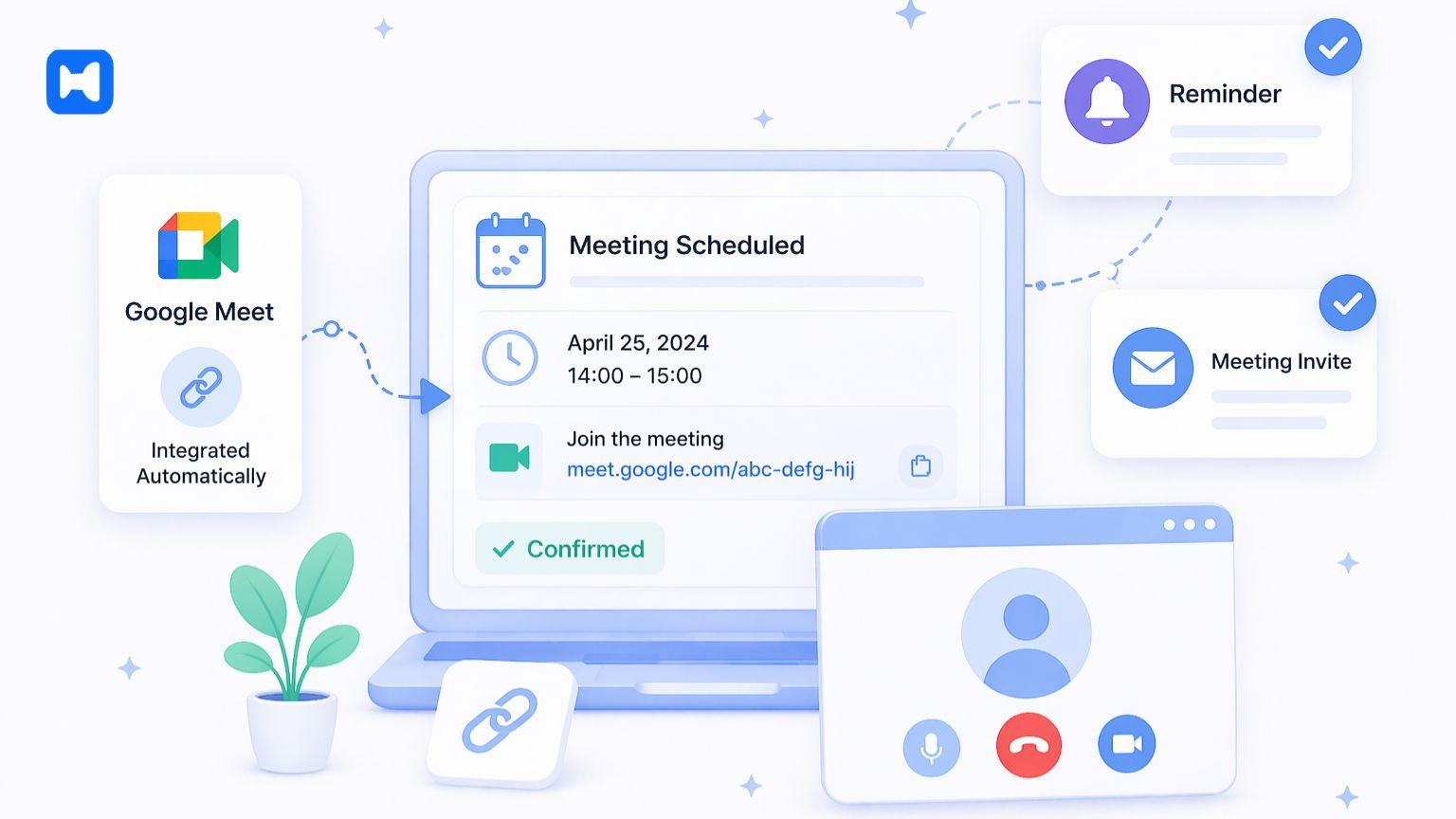
Integration with video conferencing tools is a pretty key feature in any modern meeting scheduler. By linking to platforms like Google Meet, the system automatically generates a meeting link for every scheduled meeting - saving you time and reducing errors.
For remote work and client calls, this integration is essential. It makes sure every meeting is good to go without any extra setup - and combined with automatic reminders, it’s just a really seamless experience for both the organiser and the participant.
How Wellpin Helps Automate Scheduling
Wellpin is all about making the whole scheduling process a lot simpler by blending ease of use with some really powerful functionality. It lets you set up booking pages in no time, set up availability preferences, and share scheduling links without needing to get all technical. And by linking with Google Calendar, a video conferencing app, and other connected calendars, it shows you your real time availability and helps you avoid double booking.
What really sets Wellpin apart as the best meeting scheduler is its ability to support both individuals and teams. It gives you super flexible event types, round robin distribution, custom questions, and premium features - which makes it a great fit for a whole range of use cases. Whether you're managing client calls, team scheduling, or large groups, Wellpin helps you save time and streamline your scheduling workflow. Its interface is intuitive and easy to use - I’ve seen teams using it with hardly any training at all. Plus, advanced features like custom questions and automatic reminders make every meeting well-prepared.
How to Create Booking Pages
Getting your booking page set up is a pretty key step in setting up your meeting scheduler. You want a well-structured page that clearly shows your availability and makes the booking process a breeze. With tools like Wellpin, you can create booking pages and customize them with your logo, profile picture, and brand colors to create a professional experience. You can create booking pages for different meeting types and customize them to your needs.
As your business starts to grow, your scheduling workflow will inevitably need to grow with it. A meeting scheduler lets you deal with an endless number of booked meetings without needing you to lift a finger. That means you can handle more client calls, support bigger teams, and keep your scheduling process consistent, no matter how big the team gets.
How to Reduce No-Shows and Improve Follow-Ups
One of the biggest problems in scheduling is no-shows - especially when it comes to client calls and sales talks. A meeting scheduler makes a big difference here by sending automated reminders before meetings and keeping everyone in the loop. That really helps to cut down on no-shows and makes your whole operation more efficient.
Following up is just as important for keeping the conversation going after meetings. By automating follow ups, you can keep those conversations alive and make sure you don't miss out on any opportunities. This is a real game-changer for sales teams working with serious leads.
Managing Availability and Time Slots
One of the biggest advantages of using a meeting scheduler is being able to control when you are and aren't available. Rather than constantly getting asked for times and having to keep track of everybody's calendars, you define your availability in advance and let the system sort it out. This includes setting windows of time when you're free to meet, putting up a roadblock when you need to focus, and making sure your calendar reflects how you actually work. By doing that, you avoid getting overwhelmed and keep your calendar looking sane.
Time slots can be set up to suit different types of meetings which lets you be a bit more structured in your scheduling. For example, quick client calls might be tied to certain hours of the day, while longer meetings can take place during set blocks of time. Having control like this makes the whole scheduling process feel more intentional and cuts down on the number of unnecessary interruptions you get. As time goes by, this all adds up to a much more efficient and more predictable workflow.
Buffer Time and Focus Time
Buffer time is one of those small but absolutely vital features that can make a huge difference to your workflow. By adding some buffer time between meetings, you create a bit of space to wrap your head around things, take some notes, or just get your groove back before the next conversation. If you don't have buffer time, back-to-back meetings can leave you feeling utterly exhausted and struggling to keep up. This is especially true for teams that handle a lot of client calls.
Focus time is just as important. This lets you block off chunks of time when you're not available for meetings. A good meeting scheduler makes it easy to define those boundaries and make sure they're respected. By combining buffer time and focus time, you create a more sustainable scheduling system that actually helps your productivity, rather than getting in the way.
Scheduling Across Time Zones

When you're working with people in different time zones, scheduling can get a whole lot more complicated. Without the right tools, you can end up misreading people's availability or ending up booking meetings at the wrong time. A meeting scheduler solves this by automatically adjusting time slots based on where the people involved are. This means everyone can see your availability in their own time zone, and you avoid any confusion.
This feature is particularly useful for teams that work remotely, or for businesses that are all over the world. It lets you coordinate meetings without having to manually work out time differences. As a result, the booking process becomes a whole lot faster and more reliable, which is good news for both the person booking the meeting, and the people who are actually going to attend it.
Using Scheduling Data to Improve Workflow
Scheduling data is often overlooked, but it can actually give you some really valuable insights into how your time is being used. A good meeting scheduler can track things like how many meetings you've booked, when you're busiest, and how often people cancel at the last minute. This data can help you spot patterns and make improvements to your workflow over time.
For example, you might discover that certain times of day or week are always booked up, while others are left empty. With that knowledge, you can adjust your availability to make the most of the times that are working for you. And if you're working in a team, advanced analytics can help you understand where you're performing well, and where you might need to make some changes.
Advanced Meeting Scheduler Features
As meeting scheduling tools get better, more advanced features are becoming the norm. Some of these include custom integrations, which let you connect your scheduling app with other tools you use, like CRM records or internal systems. This creates a much smoother workflow, and makes sure that your scheduling data is shared across your business.
Other advanced features include AI-powered scheduling, which can actually help you make the most of your time by taking into account your patterns and preferences. These features aren't essential for every business right now, but they will become more and more important as your scheduling needs grow.
Free vs Paid Meeting Scheduler Tools
There are plenty of free meeting scheduler options out there that can be a good starting point for individuals or small teams. These tools will give you some basic features like booking pages, scheduling links, and calendar sync - but watch out for the catches. They usually have some limits, like restricted customization features, or limited integrations. Many meeting scheduler apps offer free plans with limited features, allowing users to test the software before committing to a paid plan.
Paid solutions, on the other hand, give you the works: advanced analytics, custom integrations, and an unlimited number of booking pages or event types. They usually have a more polished, intuitive interface that's a pleasure to use. Paid plans for meeting scheduler apps typically start around $10 to $20 per user per month, depending on the features included. Some meeting scheduler tools offer significant discounts for annual billing, often saving users 16% to 20% compared to monthly billing.
Best Meeting Scheduler Use Cases
Meeting schedulers are really versatile, and can be used in loads of different situations. One common use case is client calls, where speed and convenience are key. By using scheduling links, you can let clients book meetings on the fly, which can really improve your responsiveness and engagement.
Another important use case is team coordination. By centralizing the scheduling process, you can avoid conflicts and make things run more smoothly. This is particularly useful for small teams that need to manage a lot of meetings without getting bogged down. Plus, group meeting scheduler features make it easier to coordinate meetings for large groups without having to do all the legwork.
How Wellpin Supports Team Scheduling
Wellpin is built to support everything from individual scheduling needs to team-level coordination. It's got a flexible scheduling workflow that handles event types, round robin distribution, and real-time availability, which makes it perfect for small teams that need to scale up without getting bogged down.
One of Wellpins biggest advantages is how easy it is to use. Its interface is intuitive and a pleasure to use - I’ve seen teams using it with hardly any training at all. Plus, advanced features like custom questions and automatic reminders make every meeting well-prepared.
How to Improve the Booking Experience

A good booking experience is key to successful meeting scheduling. That means making the scheduling page easy to navigate, clearly showing availability, and minimising the number of steps required to book a meeting. A meeting scheduler helps achieve this by automating the booking process and removing unnecessary friction.
Customisation features like adding your profile picture, brand colors, and logos to booking pages create a professional and trustworthy environment for invitees, enhancing their experience and increasing booking rates.
Calendar Sync and Integrations
Getting your calendar linked up is the foundation of any scheduling system. By integrating with Google Calendar, a meeting scheduler ensures your availability is always up to date. This reduces errors and keeps your scheduling workflow consistent.
In addition to calendar sync, integrations with other tools can further enhance your workflow. For example, connecting CRM records lets you track meetings and manage relationships more effectively. Integration with automation platforms like Zapier enables meeting schedulers to connect with thousands of other applications, facilitating complex workflows and reducing manual tasks.
How to Choose the Best Meeting Scheduler
Choosing a meeting scheduler that meets your needs is a personal thing - it’s all about what works best for your work style, team size and what you need to get out of the tool. One thing is for sure though, you need to get the balance right between something that's easy to use and all the advanced features you might actually use. A user friendly interface, different types of events and making sure it syncs with the right calendars are things you'll regret if they're not there
You also need to think about this thing called scalability and how much you can customise it. As your needs change and grow you want your tool to be able to stretch with you, without having to rip up your whole workflow and start again. Tools like Wellpin give you good flexibility to adapt as you go, making them a good choice all round for individuals and teams.
If you’re comparing tools, these are the features that usually make the biggest difference in real-world scheduling:
AI in Meeting Scheduling
Artificial intelligence is starting to play a bigger role in good scheduling tools. An AI calendar can look at who's busy and when and suggest some better times to hold a meeting based on patterns you've got set up. In short, it’s a major time saver and gets you booking meetings much quicker.
While the AI tech in these tools is still evolving, it’s the way forward and it is going to make these tools even more intuitive and powerful, helping you make better decisions and save time. AI-powered scheduling assistants can automate the process of finding available meeting times by learning from user preferences and past behaviors. They can also analyze historical booking patterns to suggest the best date for meetings, reducing scheduling shuffle and improving efficiency.
Why a Meeting Scheduler Matters
A meeting scheduler used to be a nice-to-have, but these days it’s something you need in order to keep up with modern work methods. By automating the scheduling process you cut right through all that back and forth emailing and make the whole process much more efficient. And that's especially important for client calls where speed and reliability can really make a difference.
Tools like Wellpin have made it easy to set all this up, so you can get to grips with it and start seeing the benefits right away. From setting up booking pages to managing team time and working out how to fit everything in, they give you everything you need to streamline your workflow. In the end, getting a meeting scheduler is a no-brainer - it saves you time and makes life easier for everyone involved.