.jpg)

Free Calendly is probably the most widely used scheduling tool out there for people who are fed up with email threads and manual scheduling, but while the free plan looks pretty good to begin with a lot of people find out that Calendly's free offering is more of a starter kit than a full-on scheduling solution for the real world.
At first, the idea behind Free Calendly seems almost perfect. You throw together a booking page, share a link, hook up your calendar and - hey presto! The whole booking process is sorted out for you. No need to ask how many meetings you can fit in, people can just pick a time that suits them and everything syncs up automatically via calendar sync. However, it's important to note that the free plan supports only one calendar connection, which can be limiting if you use separate calendars for work and personal life. This lack of multiple calendar connections can sometimes lead to double bookings.
But once you start to outgrow the basic booking or personal use, the Calendly free plan limitations start to make themselves known. Whether it's having to stick to just one type of event, the fact that there are no team scheduling features, or you can't even get rid of the Calendly branding, the free tier of Calendly quickly falls short for growing workflows. Also, Apple calendar support is limited as Calendly no longer allows new Apple Calendar connections, which can be a drawback for Apple ecosystem users relying on mac calendars.
What Is Free Calendly and How It Works
Free Calendly is a tool that takes the hassle out of scheduling by automating the whole process. Instead of trying to figure out meeting times you just send a link and let people choose a time that works for them using your availability and calendar. This makes the entire process a lot simpler and saves time for everyone.
The system relies on you having a calendar set up usually through Google Calendar or Outlook or whatever else you use to keep track of your time, so once someone books a slot it automatically gets added to your calendar and you don't have to worry about double booking or any of that other stuff. Keep in mind, however, that with only one calendar connection allowed on the free plan, managing separate calendars requires workarounds or upgrading.
At its heart, Calendly's free experience is all about keeping things simple. You don't need to be diving deep into availability rules or complicated setup to get started. You just create a booking page, sort out your availability, and you start getting new bookings. But the free plan does not include advanced availability rules or routing forms that help automate complex scheduling scenarios.
Calendly Free Plan: What You Get
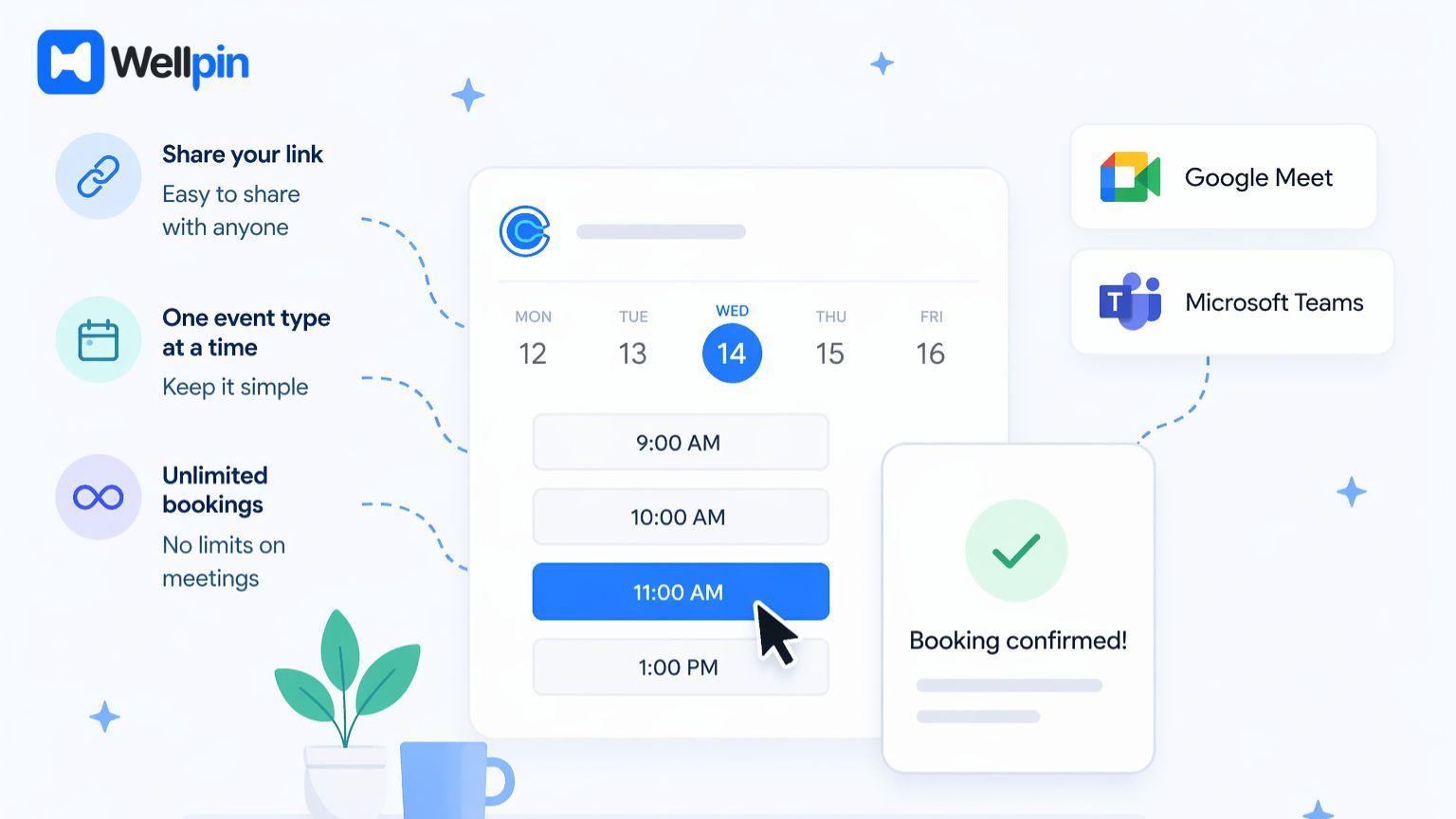
The Calendly free plan gives you the basic features that get the job done for simple scheduling - a booking page, a link to share, and unlimited bookings accepted. For a lot of people that's all they are ever going to need and that's the beauty of it.
One of the nice little things that comes with the Calendly free plan is the ability to have one active event type at a time. So you can just have a single meeting type in there, like a 30-minute chat. That works great when you are using it just for yourself, but when you try to move on to more complex scheduling needs it can start to get a bit restrictive. The free plan allows unlimited meetings, but only one event type can be active, which means multiple meeting options are not available simultaneously.
You also get integration with video conferencing tools like Google Meet & Microsoft Teams which just makes the whole thing a lot smoother and saves you having to do extra leg work to get meetings set up with a video link. However, the free plan does not include built-in video conferencing, so you need separate accounts for these services.
How Many Meetings and Event Types Are Included in Calendly Free Plan
One of the questions most free Calendly users ask is how many meetings they can actually schedule with the free version. The good news is that you can schedule as many meetings as you like without hitting a cap - your scheduling link can be used as many times as people want to book a meeting with you.
Now dont get your hopes up just yet - yes the free plan does allow unlimited meetings and unlimited bookings, but there is still a bit of a catch. The issue isnt how many meetings you can schedule, its how they can be structured. With the free plan you can only have one active event type at a time, which means you cant have multiple meeting options on the go. If you want to be able to offer for example intro calls and demos or even longer sessions you'll need to manually switch between them or take the plunge and go for the paid plan.
Using the free plan becomes a bit of a pain, especially if you're looking after a bunch of different types of meetings throughout the day. Unlimited meetings sounds great and all, but the lack of multiple event types really holds you back from being able to manage your scheduling workflow to its full potential.
Free Plan Features: What’s Included
The free tier feels like a generous free plan at first, but its limitations become clearer with consistent use. For example, automated follow-up emails and reminders are not available for free users, which can affect no-show rates.
Calendly Free Plan Limitations
One of the biggest problems with Calendly's free plan is the restriction on event types. You can't create multiple event types at the same time - which can make managing different types of meetings a complete nightmare.
Another issue is the lack of team scheduling features. Working with multiple team members? Forget about round robin distribution, team routing, or shared calendars - they just aren't supported on the free tier. Which means it's a no-go for small teams and collaborative workflows.
And let's not forget the branding issue - the inability to remove Calendly branding makes your booking page look amateurish. For many businesses, having a third-party scheduling tool slapped all over your booking page just isn't professional.
The free plan also lacks payment flow capabilities, so accepting payments during booking is not possible without upgrading. This can be a major limitation for service providers who want to integrate payment collection seamlessly.
Why Round Robin and Team Routing Matter in Scheduling - The Good Stuff
The minute you're dealing with more than one person in the scheduling mix, tools like round robin and team routing become a must-have. These team scheduling features do a vital job of spreading meetings around the team and making sure availability is being used to its full potential.
Round robin scheduling takes the guesswork out of who gets the next meeting by automatically assigning new bookings to team members based on what's going on with their schedule. Without this feature, you end up with one person drowning in meetings while their colleagues are twiddling their thumbs doing nothing. And as it happens - the free plan with Calendly doesn't come with round robin .. so teams are left struggling to make it work.
Team routing is another of those super useful features which helps to direct meetings to the right person - based on whatever makes most sense, like the type of request or what the user actually inputs. This is especially good for sales teams or people who do support work because different team members are usually only dealing with one specific type of call.
Without these features, managing a team's schedule becomes a right old chore - manually sorting out meetings and availability. Small teams tend to outgrow Calendly's free plan pretty quickly and then start looking for a more flexible scheduling solution that can keep up.
Why Free Calendly Stops Working

As your scheduling needs grow, the free plan just won't cut it. Managing multiple calendars becomes a real pain because the platform only supports one calendar connection - which is a problem if you've got work and personal calendars that need to be separate.
The absence of advanced availability rules and scheduling controls also starts to show its limitations. While basic booking might be okay, more complex scheduling scenarios need better flexibility - and the free plan just can't deliver.
And then there's the payment issue - if you want to accept payments or manage paid bookings, you need to upgrade to a paid plan. Which means added cost to your workflow - not what you want.
Calendly Paid Plan: What You Unlock
Move to a paid plan, and you get access to a whole host of important features that just aren't available in the free tier. One of the biggest upgrades is the ability to create unlimited event types - so you can offer all sorts of meeting options.
Paid tiers also introduce team scheduling features like round robin distribution and group events - which are absolute must-haves for distributing meetings across multiple team members and managing group availability efficiently.
And then there's payment collection - with paid plans, you can take payments during the booking process, turning your scheduling tool into a full-on business solution.
You also gain access to follow up emails and automated reminder sequences that help reduce no-shows and improve client management.
When Free Calendly Is Enough
The free plan is still good for personal use, if you only need basic scheduling and don't require multiple event types. Freelancers who offer just one service may find it's all they need, too - after all, being able to share a booking link and get unlimited bookings without cost is still a pretty sweet deal.
But be warned - this only applies as long as your workflow stays simple and doesn't start to get more complicated. Advanced scheduling or team features will quickly outgrow the free plan.
When You Need a Calendly Alternative
If your scheduling needs start to grow, it's time to start looking for a Calendly alternative. Usually this happens when you need some extra flexibility in your booking process - like creating multiple event types, managing multiple calendars, or generally doing the whole booking page thing without Calendly branding.
If you need better team scheduling features, or you want to remove Calendly branding, you're on the verge of outgrowing the free plan. At this point, many users start looking around for even more flexible options - and Calendly competitors that don't force you to upgrade right away.
Best Calendly Alternative: Wellpin

Wellpin is a pretty great Calendly alternative for people who want a scheduling solution that's clean, efficient, and easy to use - without all the unnecessary complexity.
Unlike Calendly, Wellpin lets you create multiple event types without forcing you to upgrade too early - which is a huge help for managing different meeting formats and making the booking process smoother.
The platform also does a great job of syncing calendars, helping avoid double bookings, and making sure your scheduling experience is as smooth as silk. For many users, this is a far more natural and modern way of scheduling.
Why Wellpin Beats Free Calendly
Wellpin focuses on simplicity - but still gives you the flexibility you need for real-world workflows. Create a booking page, share a scheduling link, and manage availability - all without dealing with unnecessary restrictions.
It also does a great job of supporting team scheduling and group scheduling scenarios, making it suitable for individuals as well as small teams that need to coordinate better.
And then there's the user experience - the booking page is not only cleaner, faster, and easier to use but actually feels more professional than Calendly's free version.
Free Calendly vs Wellpin Comparison
This comparison highlights why many users switch from Calendly’s free plan to a more flexible scheduling tool.
Other Calendly Competitors to Check Out
Apart from Wellpin there are loads of other Calendly alternatives out there - each has its own twist and is suited to different needs. Some are all about making scheduling easier and more automated, while others are more about keeping things simple or letting you customise everything to your heart's content.
For instance, Acuity Scheduling is often the best choice for businesses that want to make sure their clients pay on time, and can manage them properly, and have a bit more control over the way bookings happen. Its pretty good for service providers but can also feel a bit more complicated to set up compared to some other more straightforward scheduling tools.
Cal.com is a cool, open-source scheduling tool that can handle all sorts of advanced stuff like sending out forms and linking up multiple calendars, as well as letting you create your own workflows. Its pretty powerful but might be better suited to teams or individuals who are happy to tinker with how their scheduling system works.
There are loads of other popular scheduling tools that might be worth checking out depending on your needs :
- SavvyCal is great for when you want a more collaborative booking experience that lets invitees see each other's calendars and pick a time that works for everyone
- Zoho Bookings is a solid option if you're already using the Zoho ecosystem - it has some great automation and integration options too
- Setmore is all about keeping things simple with built-in features like reminders and some basic payment support
- Chili Piper is designed for sales teams and includes some really advanced routing and meeting scheduling options for when you get new leads
- HubSpot Meetings is a free scheduling tool that works really nicely with your CRM - useful if you're into marketing and sales
- SimplyBook.me is good for businesses that make appointments, with features like booking websites and ways to customise your services
Each one of these tools solves a slightly different problem - some are better for scheduling teams, others for clients, and then there are some that are all about automation like round robin or routing.
But the thing is, a lot of these solutions either make you pay for the key features or come with a pretty steep learning curve. So its no surprise that a lot of people end up choosing Wellpin as a more practical Calendly alternative.
Why a Scheduling Tool Matters
A good scheduling tool is not all about just booking meetings. It actually has a pretty big impact on how efficiently you work and how your clients interact with you.
When your booking process is super smooth, it makes a big difference to the user experience - and saves you time to boot. Plus, it reduces all the friction and makes scheduling a whole lot more predictable.
On the flip side, if your scheduling solution is a bit clunky, it can slow you down and create unnecessary hassle.
The Benefits and Drawbacks of Calendly's Free Option

Calendly's free plan is a solid starting point for simple scheduling tasks. It lets you toss up a booking page, share a scheduling link, sync your calendar with tools like Google Calendar and, most importantly, keep booking after booking up with no limits - perfect for a personal use or a very straightforward workflow. For the average joe using Calendly for free - this can actually save you a ton of time, and eliminate manual coordination headaches, all without breaking the bank by going for a paid upgrade.
But let's be honest, as soon as your needs grow, the Calendly free plan's limitations do start to kick in. You're stuck with just one active event type, so you can't really offer up multiple meeting options unless you get creative. The free plan also doesn't give you any team scheduling tools like round robin scheduling or team routing, which can make handling more complex scheduling scenarios a real puzzle. The fact that you're only allowed to connect one calendar at a time just adds to the headache, especially when you've got multiple calendars to keep track of
Given all these constraints, it's best to think of the free plan as a stepping stone - a good way to get started, but not a long-term solution. If you need more options, a bit more control over the booking process, or a more polished experience that doesn't leave Calendly branding all over the place - then a more powerful scheduling tool like Wellpin might be the way to go.
Final Thoughts on Free Calendly
Free Calendly works well for when you’re just starting out, but it quickly reaches its limits. It might be the restriction on how many types of events you can schedule, the lack of team features or just the limited options for customization. Whatever it is, the free tier is just not enough for more complex workflows.
For people who want a scheduling solution that’s more flexible and efficient, looking at alternatives is probably the best next step. Of all the options out there, Wellpin stands out as one of the most practical and easy-to-use choices available right now.